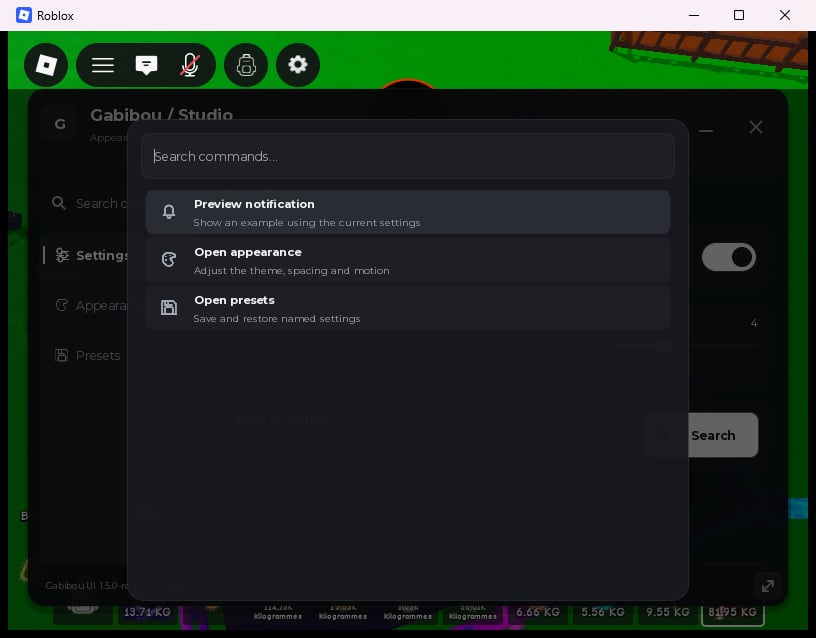
Search and launch an action
Command accepts exactly Id, Title, Description, Keywords, Icon and Callback. IDs are unique, 1–64 letters, digits, _ or -. Titles allow 1–80 UTF-8 characters; descriptions allow up to 160. A dense Keywords array accepts up to 20 unique entries of 1–48 characters. The registry holds at most 256 commands, search accepts 256 characters, and at most 50 results are rendered.
window:CloseCommands() closes the palette; window:RemoveCommand(id) removes a registration. The returned handle also has Remove(). Hide, tab changes and destruction close the palette; window destruction releases command callbacks.
Add session presets in one line
true or false, reason; Load returns true, appliedValueCount or false, reason; Delete returns true or false, reason. Names are case-sensitive, 1–48 letters, digits, _ or -. There are at most 50 names; saving an existing name replaces it. Loading does not fire callbacks unless you explicitly pass true as the second argument.
GetPresetNames() returns a sorted list. Its second return value reports a storage error when one exists:
Keep presets after relaunch
ProvideStorage.Read(filename) and Storage.Write(filename, contents) when creating your window, then opt in with a stable key:
StorageKey uses the same 1–48-character name rules and stores one <key>.json envelope, at most 1 MiB. Configure it before saving session presets. Supplying a Storage adapter without a StorageKey does not silently enable persistence.
Read returns a JSON string or nil for a missing file. Throw an error, or return nil, reason, for read failure. Write returns no values or true for success; an error, false, or nil, reason means failure. A read or corrupt-data failure blocks writes to preserve the original bytes. Restored names become available in the dropdown; they are not automatically applied. Choose Load when ready.
An adapter write already in progress can finish externally after window destruction. The library prevents a subsequent memory commit or success message, but cannot cancel your adapter’s external write.
Presets accepts Title, Icon, Id and optional StorageKey, and returns a removable tab. Removing the tab preserves session presets for that window; destroying the window clears memory.
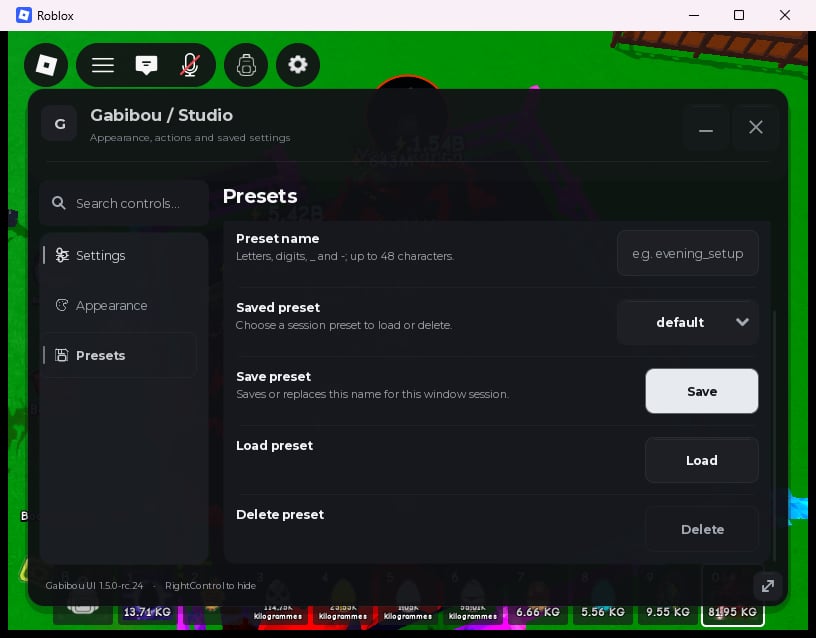
default selected. It documents the visible UI only; it does not demonstrate a storage provider or persistence across a process restart, and it is not a physical mobile capture.
The ZIP includes commands_example.luau, presets_example.luau and the environment-specific presets_storage_example.luau. See Values and configuration for the snapshot schema, and Design your interface for the one-line appearance editor.